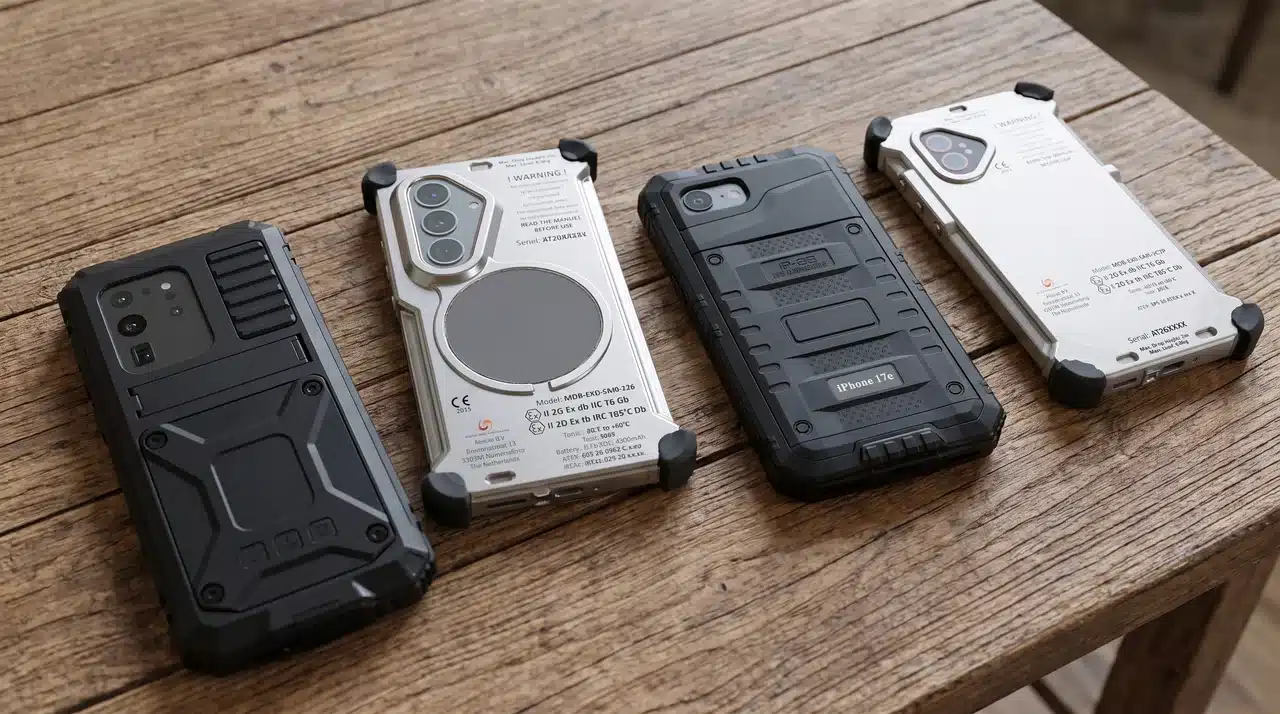


Exposed physical ports are the single largest point of mechanical and electrical failure on mobile devices deployed in hazardous environments. At Atexxo Manufacturing, our explosion-proof enclosures deliberately omit external USB ports to preserve uncompromised Zone 1 and Zone 21 safety seals.
Why physical ports compromise hazardous site safety
In volatile gas and dust atmospheres, traditional industrial handhelds with rubber port bungs or screw-down hatches rely heavily on human behavior. When technicians forget to tighten a hatch or lose a tiny screw during charging, the device’s ATEX compliance is instantly invalidated.
| Safety risk | Physical USB port vulnerability | Atexxo wireless enclosure architecture |
| Explosion hazard | Exposed electrical pins can micro-arc under fault conditions | 100% sealed outer shell with zero exposed conductive pins |
| Ingress degradation | Repeated cable plugging wears gaskets, allowing chemical mists inside | Permanent factory seal maintaining IP65/IP68 dust and water isolation |
| Human error | Field workers lose port cover screws or leave hatches unsealed | Eliminates physical hatches and removable maintenance screws entirely |
Three ways to manage field device data wirelessly
Enterprise IT administrators often worry that omitting a physical USB port will complicate daily maintenance. Modern iOS architectures allow every critical administrative task—from daily backups to full operating system restores—to execute over the air.
- Encrypted cloud backups: connected fleets can enforce automated background backups via enterprise policy. When an iPhone is resting on a wireless charging pad in a safe area, the system encrypts and syncs application data, system settings, and media logs directly to corporate servers.
- Local Wi-Fi sync for air-gapped sites: for offshore platforms or chemical suites with strict cloud restrictions, devices can be paired wirelessly with an on-premises macOS server. Whenever the device connects to the designated local Wi-Fi network during off-shift charging, it executes a complete local backup.
- Zero-touch MDM provisioning: combining Apple Business Manager with mobile device management (MDM) platforms like Microsoft Intune or Jamf allows IT departments to push security patches, application updates, and network certificates to field teams without handling the hardware physically.
Wireless device recovery, reset, and wipe protocols
Managing an enterprise fleet requires robust options for decommissioning, reassigning, or locking devices following a security event. Modern Apple mobile silicon handles these workflows completely over the air.
- Remote cryptographic wiping: if a device is lost or compromised in the field, IT security teams can trigger an instant wipe command through their central MDM portal. The moment the iPhone connects to cellular or Wi-Fi networks, its local storage is cryptographically erased.
- On-screen administrative resets: when field teams need to reassign a device in a safe area, authorized personnel can initiate a full factory reset directly through the device settings menu using an admin passcode.
- Device-to-device wireless recovery: in the rare event of operating system corruption, recent iOS architectures support proximity-based wireless recovery. Placing a secondary iPhone next to the sealed enclosure initiates a peer-to-peer wireless firmware repair, eliminating the need to connect a recovery cable.
Seamless wireless charging in safe zones
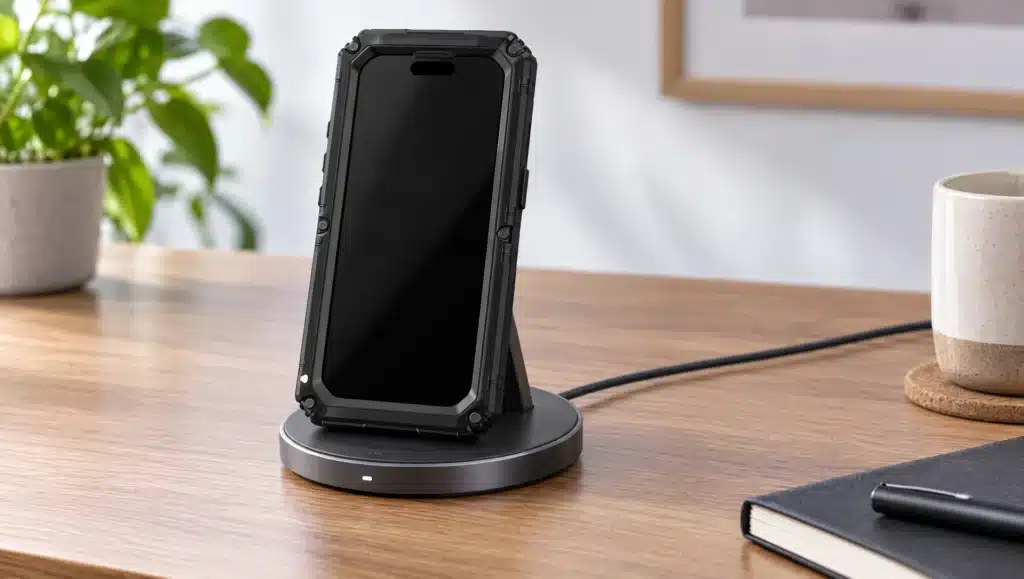
Omitting physical data ports does not compromise battery management. Atexxo explosion-proof enclosures fully support high-speed MagSafe and Qi2 wireless charging.
Technicians simply place the sealed terminal onto a wireless charging dock in break rooms or safe-zone offices. This allows the internal battery to recharge at full speed while keeping the protective outer casing permanently sealed against corrosive chemical vapors, moisture, and fine combustible dust.
Frequently asked questions
How do IT teams enroll Atexxo explosion-proof iPhones into corporate MDM platforms?
Devices enroll automatically over the air through Apple Business Manager. When a technician powers on the device in a safe zone and connects to Wi-Fi or cellular networks, your central MDM platform (such as Microsoft Intune or Jamf) automatically pushes all required enterprise profiles and applications without requiring a physical USB connection.
What happens if an iPhone inside an Atexxo case completely freezes?
Hardware resets do not require access to a USB port. Technicians can execute a forced hardware reboot by using the tactile physical button covers engineered into the outer Atexxo case.
Can we back up iPhone data on offshore platforms that have zero internet access?
Yes. By configuring local Wi-Fi synchronization before deploying the device into the field, the iPhone will automatically perform encrypted backups to a local, on-premises server whenever it connects to the platform’s internal Wi-Fi network during wireless charging.
Would you like to explore how to set up automated Jamf or Microsoft Intune deployment profiles specifically configured for cable-free Atexxo hardware fleets?